


Crown 0.65
Crown 0.65 expands rendering and scene-import capabilities while improving editor usability and performance on large projects. Materials and lighting are more flexible, resources are easier to find and data compilation makes better use of available hardware.
A Material Difference
Meshes can now use multiple material slots.
The existing scene importers have been updated to fully support them.
The scene-import pipeline also gains a new format: Crown can now import glTF 2.0 scenes in both text and binary form.
Map It Your Way
The mesh shader now supports world-space and local-space triplanar mapping.
Use +TRIPLANAR for textures that stay fixed in the world. Add +TRIPLANAR_LOCAL too when the texture should move with the object.
Out of the Shadows
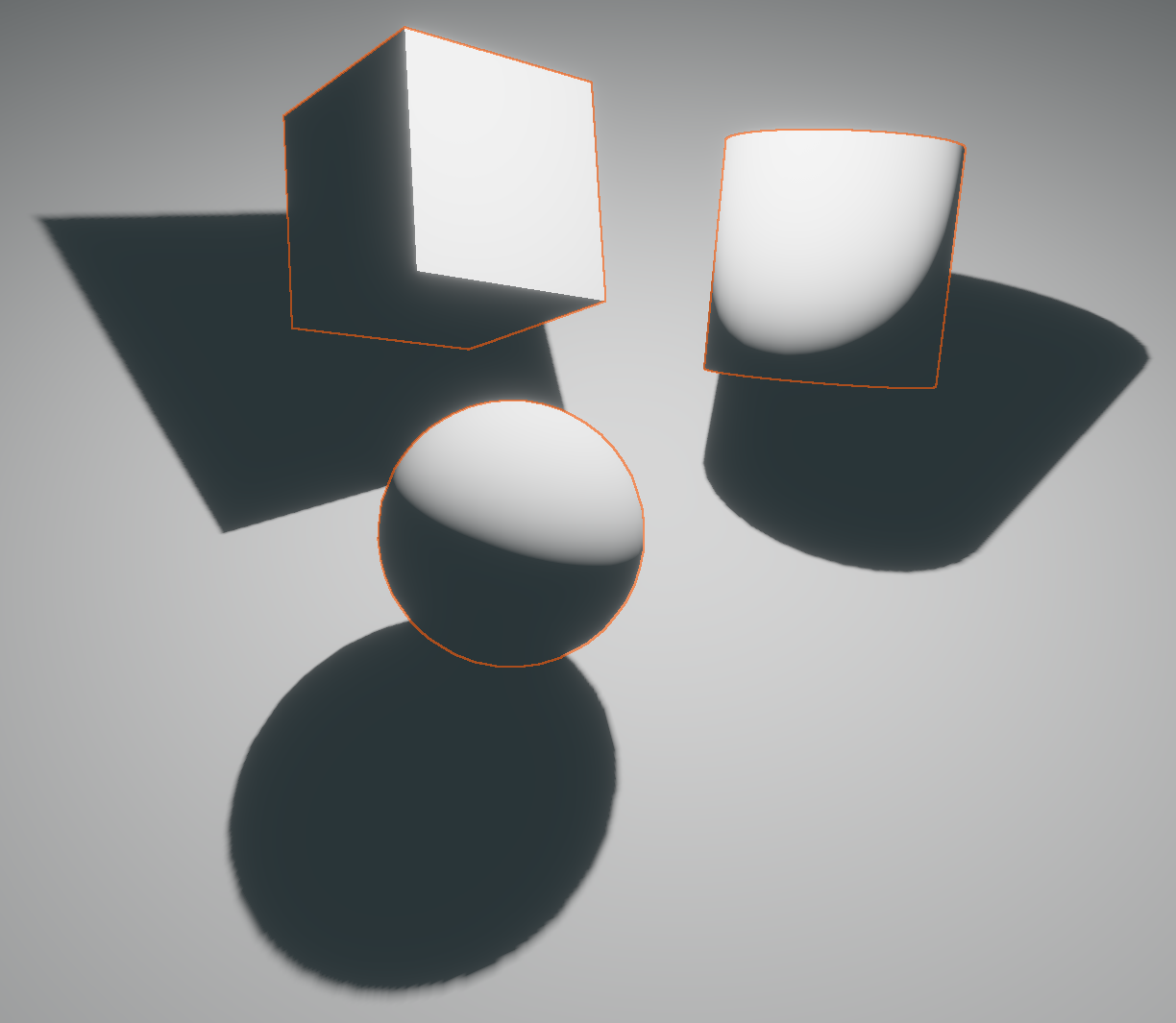
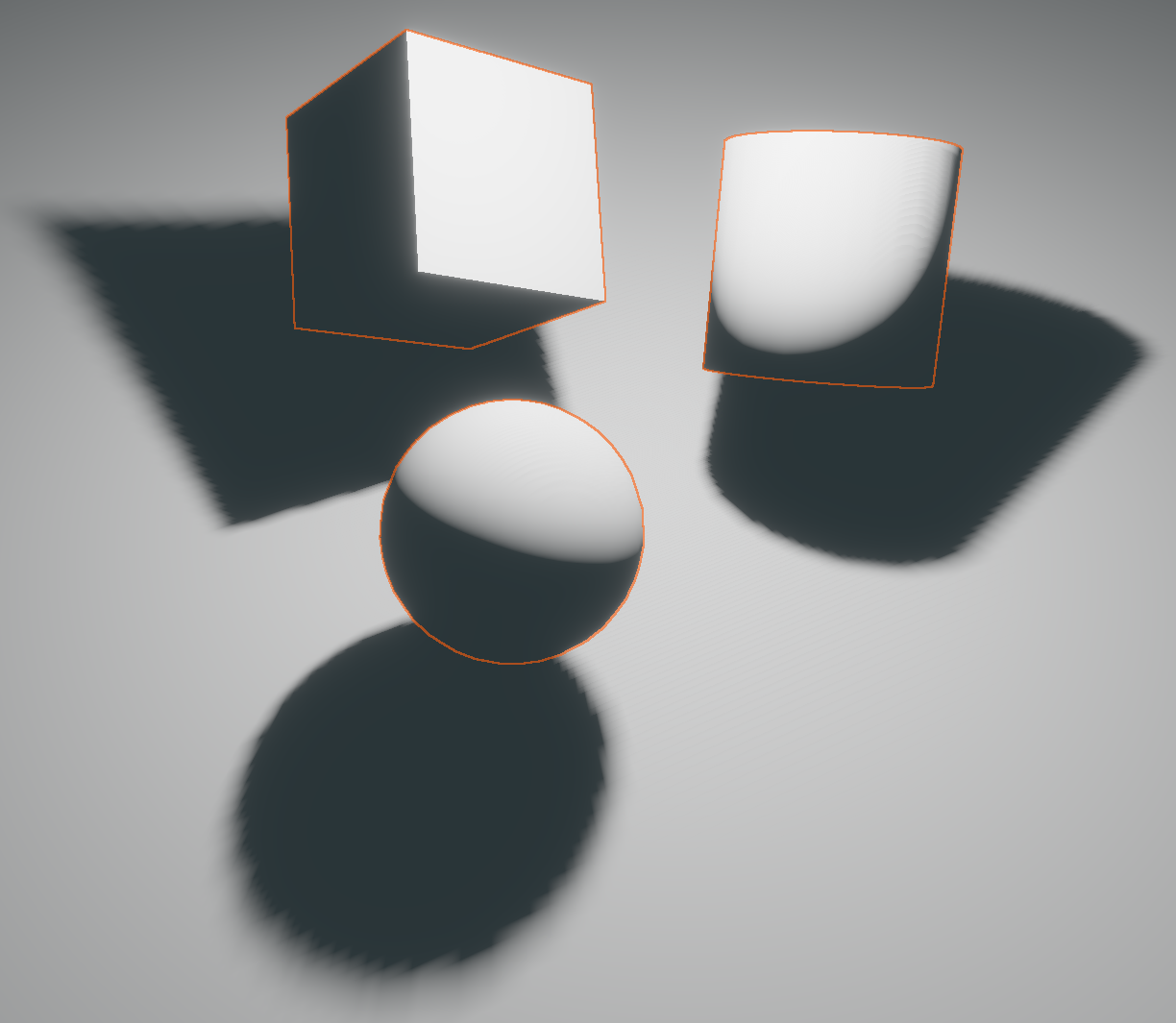
Local lights make better use of their shadow atlas, allocating tiles more effectively for much higher shadow resolution.
A new configurable normal-offset bias also helps improve overall shadow-mapping quality.

Come in, Take a Cookie
All light types can now project a cookie texture, with scale and offset controls for adjusting how its pattern falls across the scene.
Collision Vision
The Unit Editor can now visualize an actor's collision shape directly in its viewport.
Room to Work
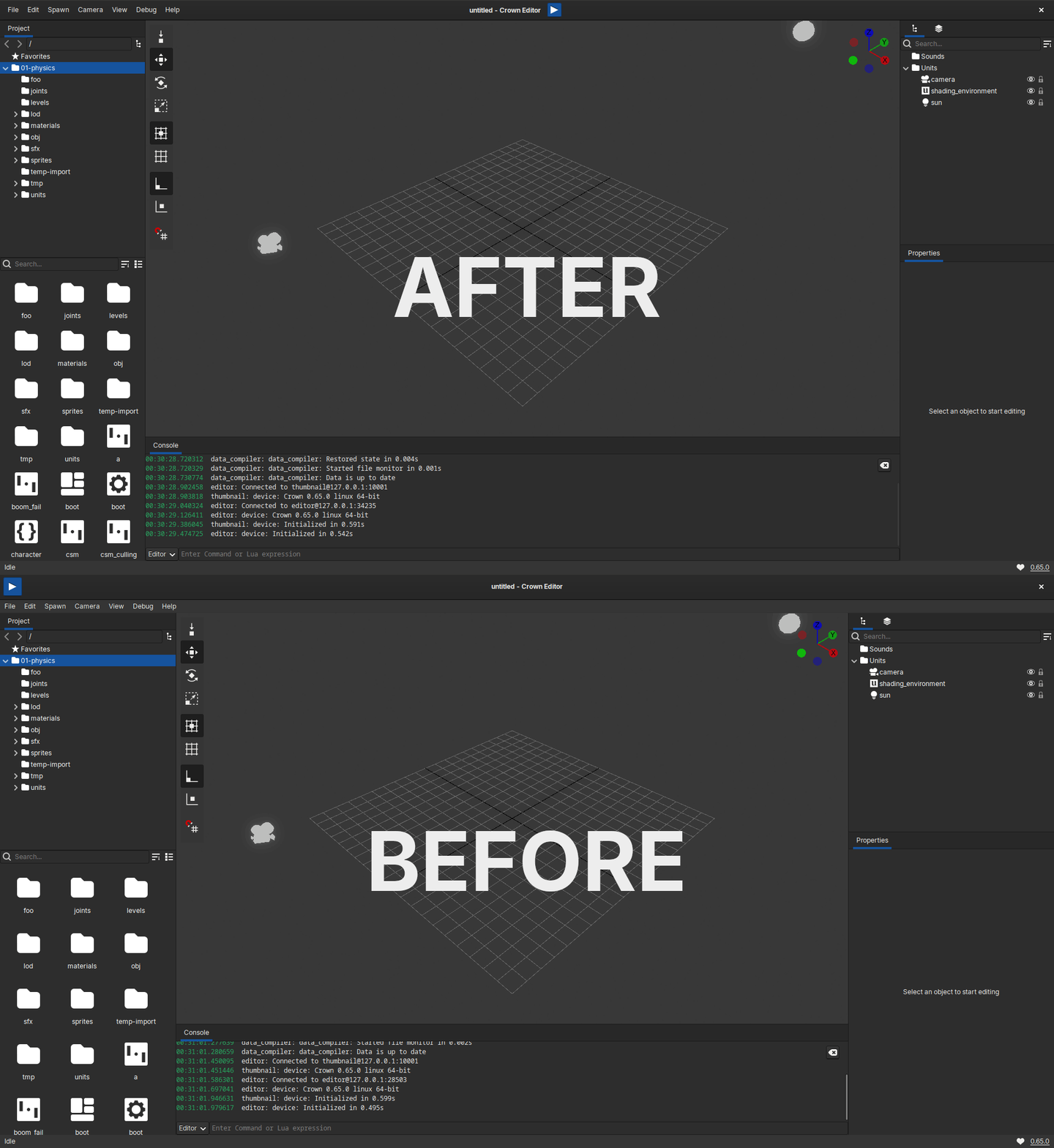
The editor now makes better use of the available space by making the menu bar more compact and packing Inspector properties more efficiently.
Property widgets adapt better as panels are resized, while tighter spacing in the Project Browser allows more content to fit on screen.
Choose Wisely
The Resource Chooser has been redesigned with support for thumbnails and two view modes, making assets much easier to find.
Opening a Level now uses the new chooser too, avoiding cumbersome navigation in ordinary file pickers.
Fine by Design
Numeric entries gain dedicated snapping and precision modes.
Hold Ctrl while dragging to snap the value, or hold Shift for finer adjustments.
Editing also feels more deliberate thanks to clearer visual states, predictable Escape-key behavior and the removal of unwanted undo steps.
Just Your Type
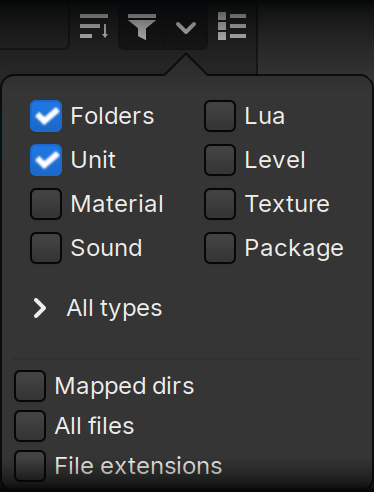
The Project Browser can now filter resources by type.
Searching is also much faster, keeping the browser responsive in large projects with many resources and thumbnails.
Firing on All Cores
The Data Compiler now builds resources in parallel, shortening the wait between making a change and seeing it live.
But Wait, There's More
- Crown can now play MP3 audio files.
- The Projects panel can create temporary projects.
- A new Vignette post-processing effect is now available.
- Animated meshes now use correct precomputed bounds.
- An automatic update check makes new Crown releases easier to discover.
- Files can now be imported directly from the Project Browser.
- The Project Browser offers better keyboard workflows.
- Identical mesh geometries are automatically deduplicated at compile time.
- Packages can be created from the Project Browser.
- Imported models now receive a default animation.
- Objects in the Level Editor can be moved to the camera view with Ctrl+Alt+F.
- Large scenes now re-import faster.
- Opening and closing the Unit Editor is faster when working with large units.
- Games can now switch to full-screen mode on Windows and HTML5.
- Lua scripts can now create colliders at runtime.
- Project lists can now be filtered.
This release also includes 69 fixes across the Editor, Runtime, Data Compiler and Lua API. Check out the latest changelog for the complete list of improvements and fixes.